
Using Contract Review
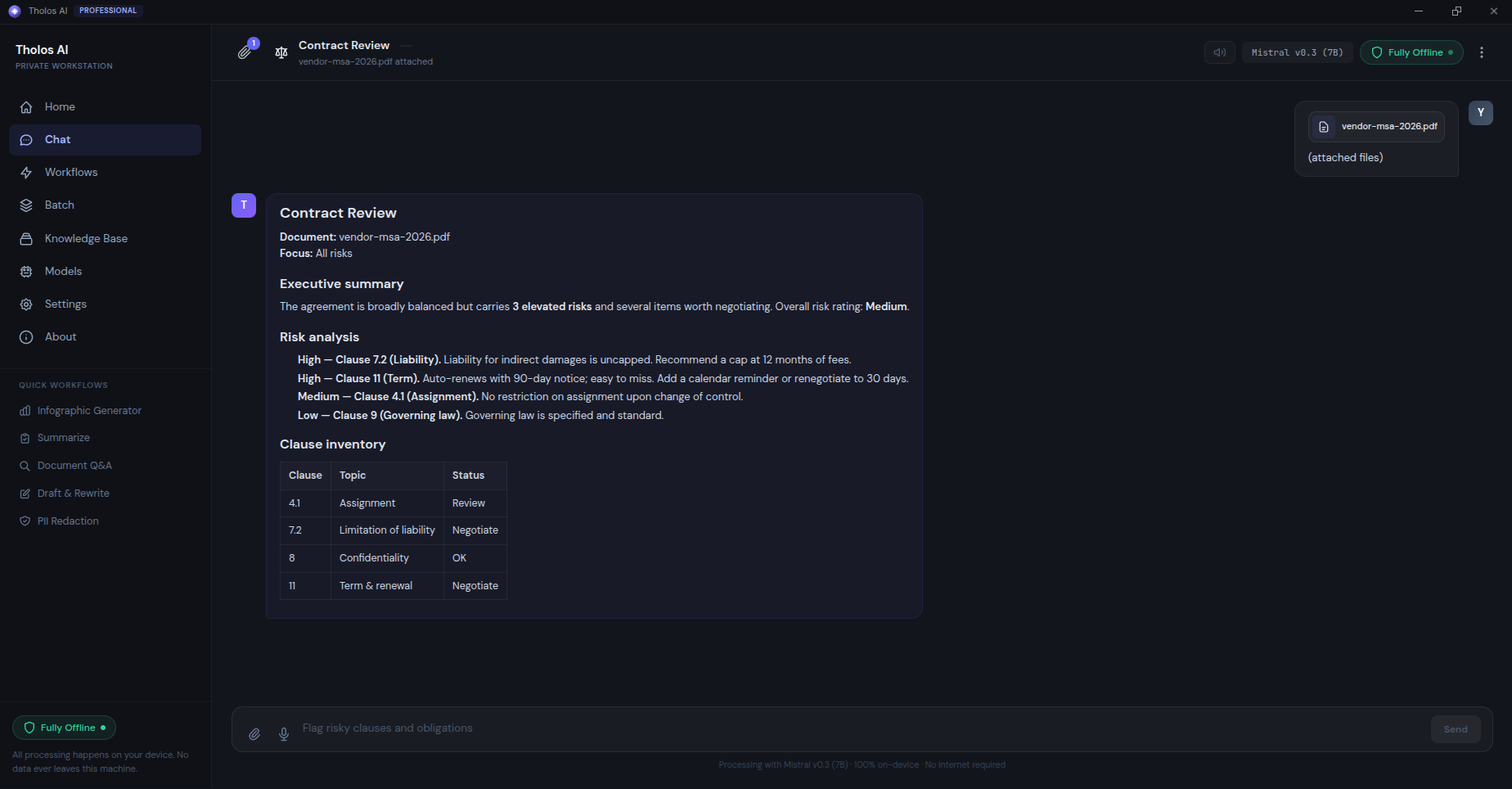
Contract Review gives you a fast, structured first-read of an agreement: it identifies the clauses, flags risky or unusual terms by severity, and writes a deal-level summary — a job that can take a junior lawyer hours per document. You don’t write any prompts; just drop in the contract. As with every workflow, the analysis runs entirely on your machine, so confidential drafts never leave your device.
When to use it
- First-read on a vendor MSA — read the executive summary, jump to the high-severity items, and spend your time negotiating rather than skimming.
- Triaging inbound NDAs — batch-run a folder of draft NDAs; the reports let you focus on the few with unusual carve-outs.
- Reviewing renewals — confirm a stack of renewal contracts didn’t quietly slip in materially different terms.
- Building a deal database — run it across executed deals and pull the clause structure into a shared register.
How to use it
- Open the Workflows view and choose Contract Review.
- Attach your contract(s) — PDF or DOCX; scanned files are OCR’d automatically.
- Optionally narrow the focus and set a jurisdiction (see below).
- Run it. Each analysis pass — identifying clauses, analyzing risk, writing summary — reports progress, and the report builds up as the passes complete.
Focus and jurisdiction
- Focus — analyze All risks (the default), or zero in on one clause family: Termination, Payment terms, Liability, IP / Confidentiality, Indemnity, or Data / Privacy.
- Jurisdiction — leave as Any, or pick a legal context to weight the risk analysis: United States, United Kingdom, European Union, Canada, Australia, Singapore, Hong Kong, or Mainland China.
The report
The result is a structured report containing an executive summary at the top, a clause-by-clause table with each clause’s type and a risk flag, and a detailed risk analysis for each high- and medium-severity flag. Severity is rated low / medium / high so the items needing partner attention stand out. Export to DOCX (the default, ready for your annotations), or PDF or TXT, saved to your Settings export folder. For a batch run you also get a consolidated index linking to each individual report.
Checking the result
- Confirm the clause structure in the report reflects the contract’s actual sections.
- Spot-check at least three high-severity flags by jumping to the cited clause in the source — the rationale should match the clause’s actual text.
- Confirm the executive summary’s top risks line up with the highest-flagged items in the table.
Tips
- Reasoning quality matters most here. For long contracts (100+ pages), pick the largest model your hardware supports — see Choosing the right AI model.
- Need grounded answers to specific questions about a contract instead of a risk pass? Use Document Q&A, which cites every answer back to the source clause.